How to Edit SSL Settings in Squarespace
SSL is one of the core protections that keeps your Squarespace site secure, encrypted, and trusted by browsers. A properly configured SSL certificate not only protects visitor data but also improves SEO and prevents “not secure” warnings that can scare users away. Adding a short checkup on your SSL settings ensures your site stays safe and loads correctly for every visitor.
Checking your SSL Certificate
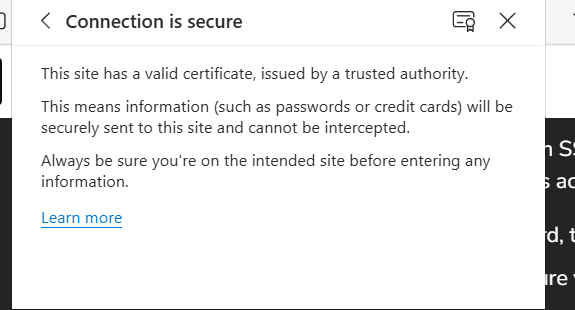
Squarespace automatically turns on SSL for every site, so you don’t need to configure anything during setup. If you want to double‑check that your certificate is active, you can confirm it in a few different ways:
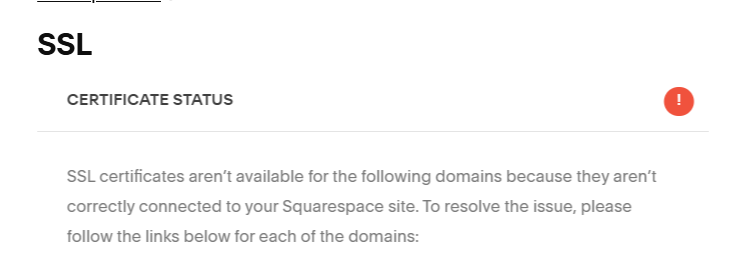
Open your domains dashboard, then click the domain and ensure your SSL certificate status is Issued
Open the SSL panel and ensure your certificate status is Active
Check your site’s SSL certificate by visiting your site
Choosing SSL Settings
Most sites work best with the default SSL configuration, but if you have specific security requirements, you can adjust your preferences in the SSL panel.
To choose an SSL setting:
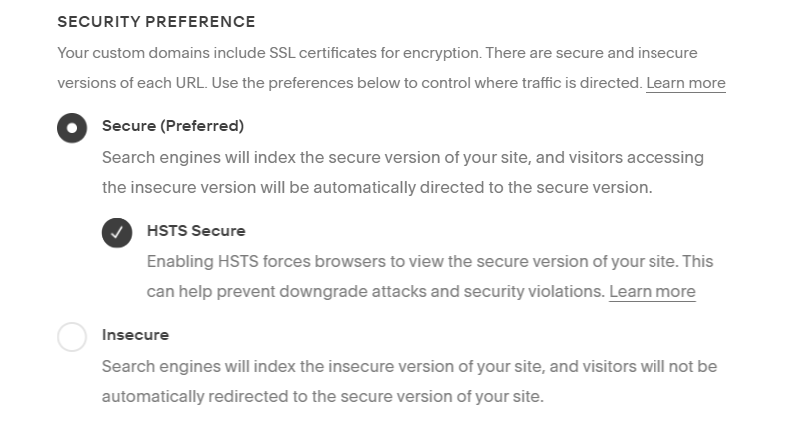
Open the SSL panel. Under Security preference, choose your settings. Usually, we recommend checking Secure and HSTS secure. Some special situations might need the Insecure option. For help, see SSL settings explained. Click Save.
After saving, it may take up to 48 hours for the changes to fully process. Third‑party domains that haven’t connected yet may take longer. During this time, you might see temporary error messages in your domain settings—this is normal. If the update still hasn’t completed after 48 hours, follow the troubleshooting steps.
SSL Settings Explained
Secure (Preferred)
This is the recommended option for most websites and is required by certain domain providers and TLDs. When Secure is enabled:
Visitors are automatically redirected to HTTPS once the certificate is issued
Your sitemap uses HTTPS links
Search engines index the secure version of your site
Browsers that don’t support SSL won’t load your site
HSTS Secure
HSTS adds an additional layer of protection on top of the Secure setting. It forces browsers to load your site over HTTPS every time, reducing the risk of impersonation or interception. It also prevents common browser warnings like “Your connection is not private.” For most sites, Secure + HSTS is the ideal combination.
Insecure
Domains added before October 2016 may still use the Insecure setting. If you choose to keep your site Insecure, make sure your SSL certificate is still valid. With this setting:
Visitors can access your site through both HTTP and HTTPS
Your sitemap uses HTTP links
Search engines index the HTTP version
Switching to Insecure or turning off HSTS can temporarily block access for visitors who previously loaded your site with HSTS enabled. Their browser will continue enforcing the old rule until the HSTS policy expires, which can take up to 48 hours.
Need help with your Squarespace website’s SSL? Get in touch with an expert and view the opportunities to secure your website!