
How to Change a URL Slug in Squarespace
Understanding URL Slugs in Squarespace
A URL slug is the specific path that identifies a page or collection item on your website. Squarespace automatically generates this slug from the page title. For example, a page named “About” becomes /about, making the full URL https://yourdomain.com/about.
This overview explains how to locate and update URL slugs across your site.
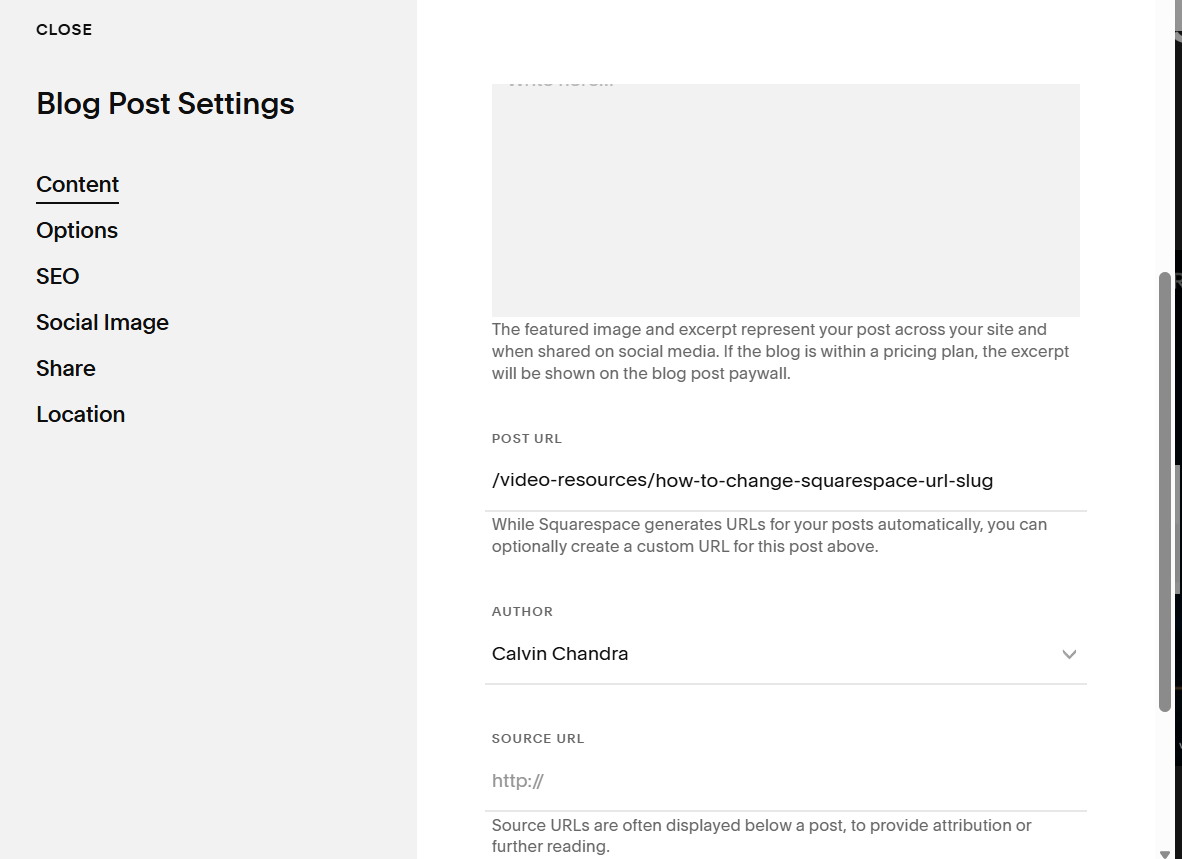
Finding a Page’s URL Slug
You’ll often need a page slug when creating redirects, linking to collection items, setting up RSS feeds, or building anchor links. When you’re logged into Squarespace, the editor view hides the slug, so use one of these methods to check it:
Full preview — Click the expand arrow in the top corner to open a full preview. The slug appears after your built‑in domain in the browser bar.
Private or incognito window — Open your site in a private browser and navigate to the page. The slug displays after your domain.
Page or item settings — Use the settings panels described later in this guide to view or edit slugs for pages, posts, products, events, and more.

URL Slug Formatting Tips
Short, simple slugs make your URLs easier to remember and share. When editing slugs, keep these rules in mind:
Capitalization
Slugs always convert to lowercase. If someone types uppercase letters into the URL, they’ll land on a 404 page. To avoid this, you can set up 301 redirects that send visitors from the incorrect uppercase version to the correct lowercase slug.
Character limits
Most pages: 3–250 characters
Blog posts, events, products: 3–200 characters
Only dashes are allowed as special characters
If you publish a blog post or event without a title, Squarespace assigns a random slug

Reusing old URLs
Pages and posts: You can’t reuse a slug that’s already assigned to a live page or post. Delete the old one first, then apply the slug to the new content.
Products: Deleted product slugs cannot be reused. If you want to preserve a slug for future use, rename the product before deleting it.
If your website URL isn’t working or redirects are broken, get in touch with an expert now.
